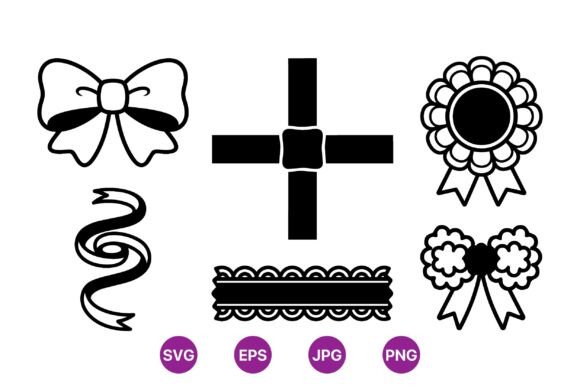
Decorative Ribbon Vector Icons: A Guide to Clean, Scalable Design Assets
In the world of digital design and physical crafting, details matter. A simple bow or a twisted band can elevate a logo, frame a certificate, or add a touch of elegance to packaging. This is where Decorative Ribbon Vector Icons become indispensable. Unlike standard raster images, vector graphics offer infinite scalability without losing quality. However, many creators overlook the technical nuances that separate a professional-looking project from an amateur one. Understanding how to select and utilize these assets correctly can save hours of revision time and ensure your final output looks crisp, whether it is printed on a business card or displayed on a 4K monitor.
The Misconception of "One Size Fits All" Formats
A common mistake among beginners and even some seasoned freelancers is assuming that any image file labeled as "high resolution" will suffice for all projects. You might download a set of ribbon elements, see they are large in pixel dimensions, and assume they are ready for print. This is a critical error. Raster formats like JPG or PNG are composed of pixels. When you scale them up beyond their original size, they become pixelated and blurry. This is particularly problematic for intricate designs like rosette badges or twisted ribbons, where fine lines define the aesthetic.
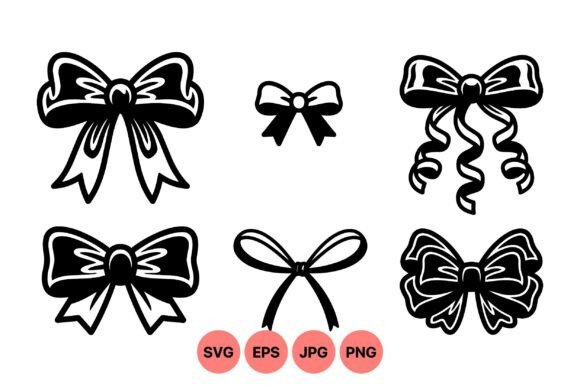
The solution lies in understanding the file types included in a comprehensive download. A high-quality package should include SVG (Scalable Vector Graphics) and EPS (Encapsulated PostScript) files alongside PNG and JPG options. SVG and EPS are vector formats, meaning they use mathematical paths rather than pixels. This ensures that your decorative band remains sharp at any size. If you are designing a large banner or a small favicon, the vector file adapts perfectly. Always check the folder contents before purchasing or downloading. If the provider only offers raster formats, you limit your versatility and risk poor print quality.
Overlooking Contrast and Color Versatility
Another frequent oversight is choosing overly complex, multi-colored ribbon icons when a minimalist approach would be more effective. Many designers gravitate toward colorful, shaded illustrations, thinking they look more "premium." In reality, these can clash with existing brand colors or become illegible when printed in black and white. A set of black and white ribbon elements offers superior flexibility. Pure black and white, high-contrast artwork allows you to overlay the icon on any background color without worrying about clashing hues or transparency issues.
Consider the practical application. If you are creating a seal of approval for a product label, a solid black rosette badge stands out clearly against gold foil or pastel packaging. If you later decide to change the packaging to navy blue, you can simply recolor the vector file in your design software. With a flat vector style, this adjustment takes seconds. Complex, pre-shaded images require tedious editing to match new color schemes. By starting with a minimalist, monochrome base, you future-proof your design assets and maintain a clean, modern aesthetic that aligns with current design trends.
Ignoring the Importance of Clean Paths
Not all vector files are created equal. A significant issue that plagues many free or low-quality icon sets is messy geometry. When you open an EPS or SVG file, you expect smooth curves and clean anchor points. However, poorly constructed vectors may contain unnecessary nodes, overlapping paths, or open shapes. These errors might not be visible on screen, but they cause major problems during production. For instance, if you send a file with open paths to a laser cutter or vinyl plotter for craft projects, the machine may fail to cut the shape correctly, resulting in wasted material and time.
To avoid this, inspect the files before integrating them into your main project. Open the SVG in a vector editor like Adobe Illustrator, Inkscape, or Affinity Designer. Zoom in closely on the edges of the bows and twisted ribbons. The lines should be smooth, not jagged. Check if the shapes are closed paths. High-quality Decorative Ribbon Vector Icons are optimized for both digital display and physical fabrication. If you are a small business owner ordering custom stamps or embossed seals, clean vectors ensure the manufacturer can reproduce your design accurately. Taking a few minutes to verify file integrity prevents costly production errors down the line.
Underutilizing the Flat Vector Style
There is a tendency to over-complicate designs by adding drop shadows, gradients, or textures to simple icons. While these effects have their place, they often detract from the clarity of ribbon elements. The flat vector style is ideal for craft and design projects because it emphasizes shape and form without visual noise. This minimalist aesthetic ensures that the icon communicates its purpose instantly—whether it signifies a gift, an award, or a decorative border.
When using these elements, resist the urge to clutter the composition. Let the negative space work for you. For example, if you are designing a wedding invitation, a simple twisted ribbon vector can frame the text elegantly without overpowering the typography. If you are creating social media graphics for a blog, a clean rosette badge can highlight a "Best Seller" tag without distracting from the product image. The strength of flat design lies in its adaptability. It reads well on small mobile screens and large desktop monitors alike. By embracing simplicity, you enhance readability and user experience.
Checking Licensing and Usage Rights
Before downloading or purchasing any design asset, it is crucial to review the licensing terms. Many creators assume that if a file is available online, it is free for commercial use. This is a dangerous assumption that can lead to legal issues, especially for entrepreneurs and marketers. Some licenses restrict usage to personal projects only, while others require attribution. Always read the fine print.
Look for packages that explicitly state commercial usage rights if you plan to use the icons for client work, product packaging, or sold items. A reputable provider will include a clear license file in the ZIP folder. This transparency protects your business and ensures you can use the Set of black and white ribbon elements confidently across various platforms. Additionally, check if the license allows for modification. You may need to adjust the width of a decorative band or combine multiple bows to create a unique header. Ensuring you have the right to edit the vectors gives you creative freedom and avoids copyright infringement.
Making the Right Choice for Your Project
Selecting the right design assets is about more than just aesthetics; it is about functionality and efficiency. By prioritizing vector formats, embracing minimalist black and white designs, verifying file quality, and understanding licensing, you set yourself up for success. Whether you are a hobbyist creating handmade cards or a professional designer working on a corporate rebrand, these principles apply. Invest time in choosing high-quality resources like Decorative Ribbon Vector Icons that offer SVG, PNG, JPG, and EPS files. This approach ensures sharp results at any size, reduces workflow friction, and elevates the overall quality of your creative output. Remember, the best design tools are those that work seamlessly in the background, allowing your creativity to take center stage.